
Wireless microphone rental for school and community theatre
Every system arrives pre-racked, tested and ready to plug in, with Broadway lavs. Pick it by one number: how many performers need a mic at the same time.
From $695/week · Monday to Monday · Protection plan required
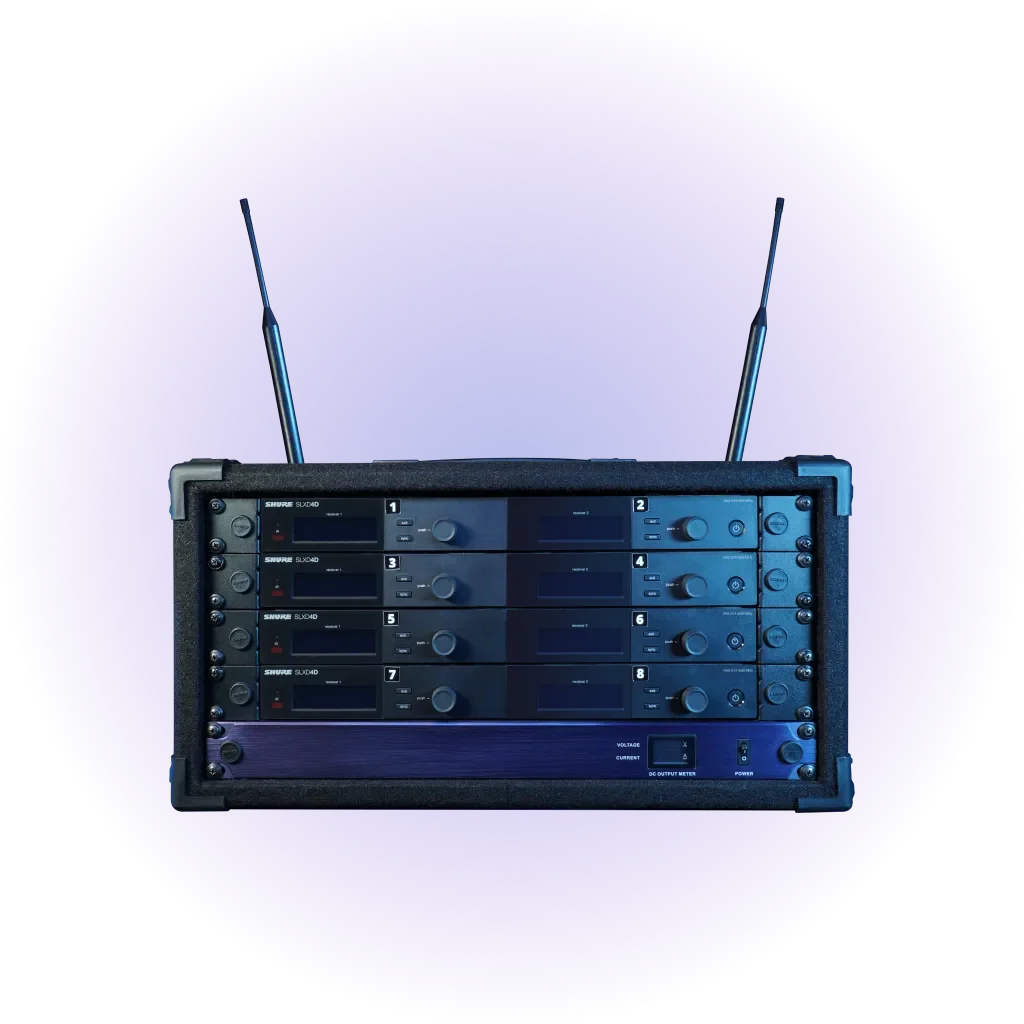
Wireless systems
Weekly rates, Monday to Monday. Booked with Broadway Media.
Choose in three steps
Find the right wireless package
Count performers on mic at the same time
Count from the script, not the cast list: everyone who speaks or sings while mic'd in your busiest scene.
How to count →Check your venue's sound gear
A mixer with enough free inputs, or only speakers? That decides between Economy and Standard.
What you need →Pick a package and quality
Match channels and budget. Every price below opens that exact configuration at Broadway Media.
Compare packages →
Step 1: How many channels?
One channel is one transmitter on one performer. You need as many channels as people who are mic'd at the same time, not your whole cast.
| Performers on mic at once | Channels | Package to look at |
|---|---|---|
| Up to 8 | 8 | Economy, or Standard 8 |
| 9 to 12 | 12 | Standard 12 |
| 13 to 16 | 16 | Standard 16 or Premium 16 |
| 17 to 20 | 20 | Standard 20 |
| 21 to 24 | 24 | Standard 24 |
| 25 or more | Custom | Request a quote |
Doubling and pack swaps
If two actors are never on stage at the same time, they can share one transmitter. Someone has to move the pack between them, re-fit the mic and check it, usually during a scene change. Plan swaps only where the script gives you that time and a crew member to do it.
Ensemble coverage
Most school productions mic principals and featured singers, then cover big ensemble numbers with area or choir mics. That only works if your venue has those mics and a mixer with free inputs for them. If you want every ensemble member heard individually, count them as channels.
Spare channels
A spare channel or two lets you replace a failed mic or cover an understudy without re-planning the show. If you're between two sizes, the larger one gives you that margin.
Step 2: What sound equipment does your venue have?
We have a mixer with free inputs
Count the free microphone inputs on your mixer. You need one per channel. Look at Standard or Premium: their receivers connect to your mixer.
We only have speakers or a small PA
Look at Economy: 8 channels with a pre-racked mixer that connects to your speaker system. More than 8 performers on mic? Request a quote and we'll plan the mixing.
We don't know
Photograph your mixer (front and back) and your speakers, and attach the photos when we reply to your quote request. We'll check compatibility before you book.
Step 3: Compare packages
Economy
$695 / week · 8 channels
- Best for
- Younger casts, gyms and first-time wireless users.
- System
- Creative Audio CA.81, 8-channel analog wireless.
- Microphones
- A handheld mic, cream and black/brown lavaliers, and cream and brown/black cardioid headsets.
- Included
- Transmitters, receivers and a pre-racked mixer, in a case.
- You provide
- Powered speakers or a sound system to connect the mixer to, and power near the rack.
- Setup and operation
- The mixer connects to your speaker system. Someone still turns mics up and down during the show.
Standard
from $895 / week · 8 to 24 channels
- Best for
- Most school and community musicals.
- System
- Good: Shure SLXD. Better: Shure QLXD or Sennheiser EW-DX. Best: Shure ULXD. All digital.
- Microphones
- One mic per channel. Broadway Media calls Good mics “standard-quality” and Better and Best mics “pro-grade”, in cream and brown/black lavaliers and earsets.
- Included
- Pre-racked receivers, plus a transmitter and mic for every channel, in a case.
- You provide
- A mixer with one free mic input per channel, and speakers. Economy is the only system that includes a mixer, so plan to use your own.
- Setup and operation
- Connect each receiver output to your mixer. Running the show takes one person at the mixer.
Premium
$4,995 / week · 16 channels
- Best for
- Collegiate, professional and touring-level productions.
- System
- Lectrosonics DSQD digital wireless.
- Microphones
- 16 cream hairline lavaliers and 4 brown/black lavaliers.
- Included
- 16 transmitters and pre-racked receivers, in a case.
- You provide
- A mixer with 16 free inputs, and speakers. We confirm the connections with you before you book.
- Setup and operation
- Best with an experienced sound operator.
Every system comes with Broadway lavs. Economy is the only system that includes a mixer; Standard and Premium connect to your venue’s mixer.
Protection plan required on every rental: a Damage Waiver (10% of the rental), your organization's certificate of insurance (no fee), or a security deposit, chosen at checkout at Broadway Media. Compare the options.
Standard prices by channel and quality
Each price opens that exact system at Broadway Media, so the channel count and quality you pick here are what you book.
| Channels | Good · Shure SLXD | Better · Shure QLXD or Sennheiser EW-DX | Best · Shure ULXD |
|---|---|---|---|
| 8 channels | $895 | $1,295 | $1,895 |
| 12 channels | $1,295 | $1,895 | $2,495 |
| 16 channels | $1,695 | $2,495 | $3,295 |
| 20 channels | $1,995 | $2,995 | $3,995 |
| 24 channels | $2,395 | $3,495 | $4,495 |
Weekly rates from Broadway Media's product pages, checked October 14, 2026. Broadway Media's checkout shows the final price.
What's the practical difference between Good, Better and Best?
All three are digital wireless, pre-racked, with a mic for every channel. Moving up a tier gets you a more advanced receiver and transmitter platform (Shure SLXD, then Shure QLXD or Sennheiser EW-DX, then Shure ULXD) and what Broadway Media calls “pro-grade” microphones instead of “standard-quality”. Broadway Media positions Good for beginners and small to medium spaces, Better for medium to large spaces, and Best for professionals and large spaces.
Broadway Media doesn't publish the exact microphone models for each tier. If your district needs them for a spec sheet, ask in your quote request.
What a week costs
The weekly rate is not the whole cost. A Broadway Media order includes:
- Weekly rental: Monday to Monday. Choose 1 to 4 weeks on the booking page; ask for a quote for longer runs. Each extra week is the same weekly rate, with no multi-week discount.
- Protection plan (required): a Damage Waiver at 10% of the rental, your certificate of insurance at no fee, or a security deposit, chosen at checkout at Broadway Media.
- Rental Flex (optional): 8% of the rental, for reschedule and cancellation credit.
- Optional add-ons: extra mics, expansion packs, intercom.
- Shipping: charged at checkout at Broadway Media. Orders placed less than 4 weeks before your start Monday may include a rush charge.
Add-ons
Extra microphones
Bundles of 6 for Standard systems: 2 cream earsets, 1 brown/black earset, 2 cream lavaliers and 1 brown/black lavalier. Good from $195/week; Best $295/week.
Wireless expansion pack
One per 8 channels: paddle antennas for performers more than about 50 ft from the rack, rechargeable batteries with a charger, transmitter belts, face tape and clips. From $195/week.
Theatre intercom
Hollyland wireless headsets from the booth to backstage, with 4, 6 or 8 stations. From $195/week.
Setting up versus running sound
Setup is physical work you can do yourself: place the rack, connect power and the outputs, charge or load batteries, and fit mics on performers. Running the show is a separate job. Someone at the mixer brings each mic up when that performer speaks and down when they leave, at every performance. Plan for that person and rehearse with them during tech week.
Broadway Media's rental support runs weekdays, 9 a.m. to 5 p.m. Eastern, with no evening or weekend support. Test the full system during business hours before your first performance. How support works
Not sure yet?
Tell us the show, how many performers are on mic at once and what sound gear you have. We review every request and get back to you the same week with a recommended package and a quote.